OHS compliance that's always audit-ready
CheckOHS brings your equipment inspections, facility checks, WHMIS register, and corrective actions together in one place — so every record is complete, current, and ready the moment an officer or auditor asks.
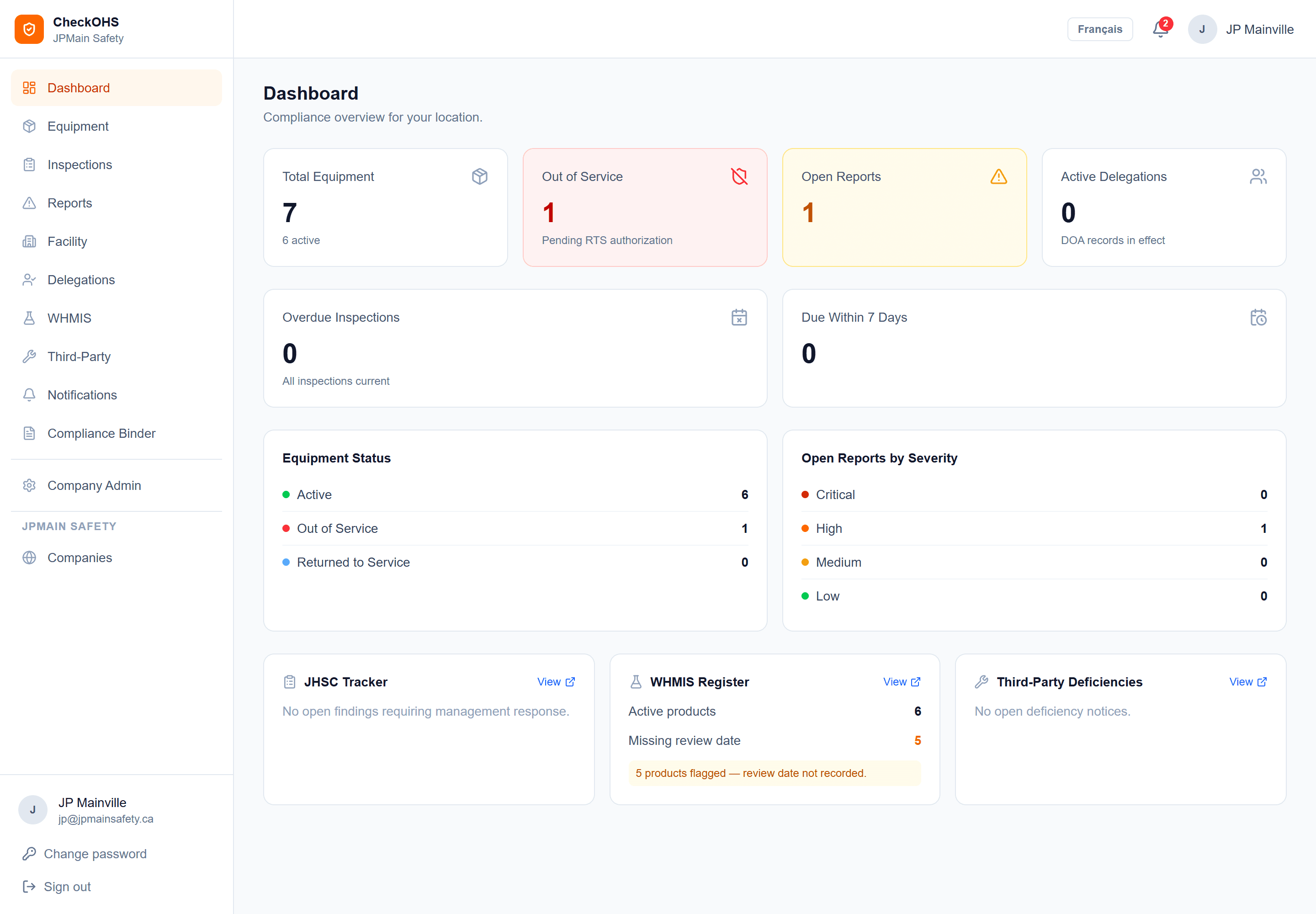
Core features
Everything a safety program needs to run day to day: scheduled equipment inspections, vehicle usage and maintenance tracking, facility checklists, WHMIS tracking, the health and safety committee record, crew safety talks, training records, and a documented trail from deficiency to return to service — in English and French, on any device.
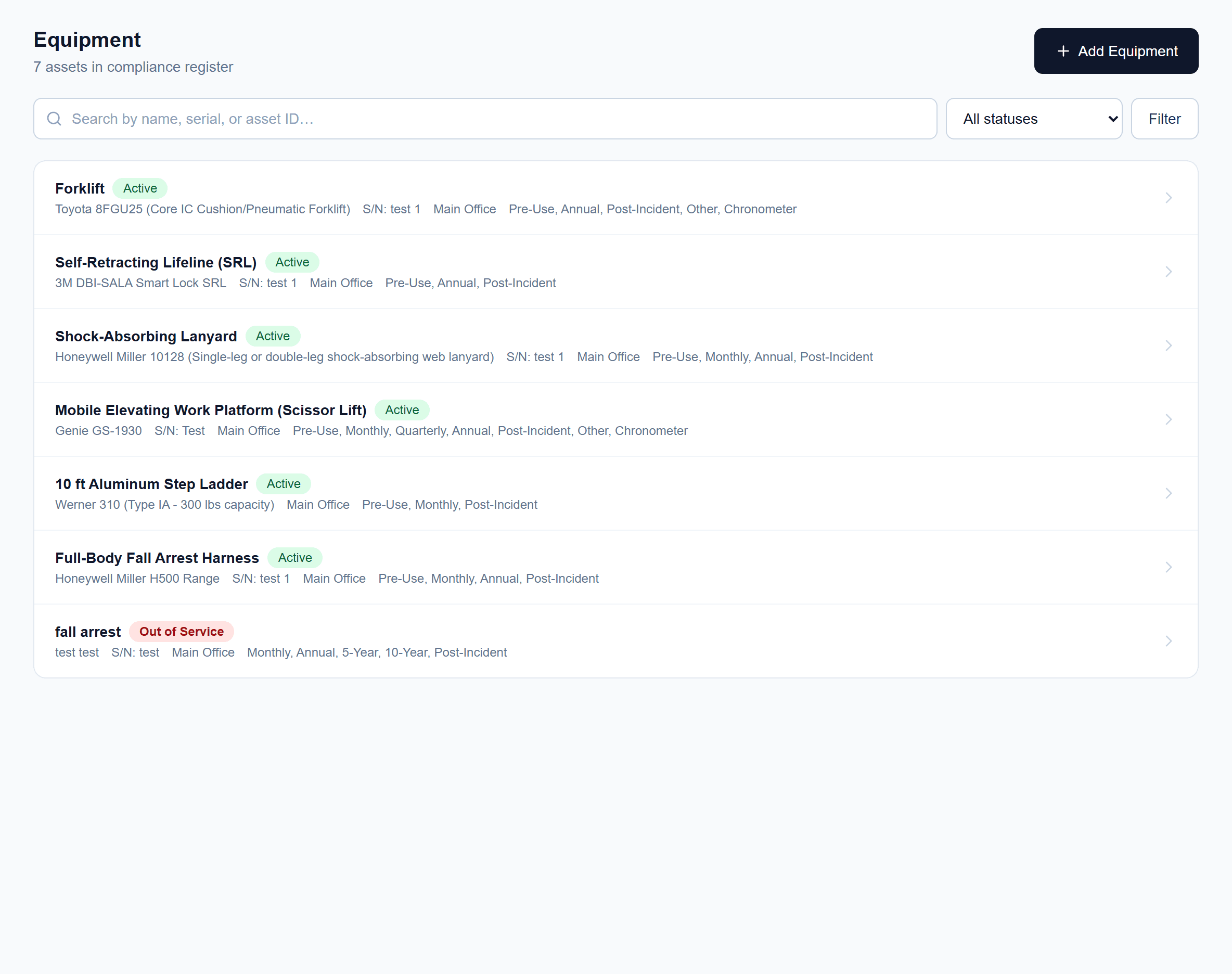
Equipment inspections
Every asset in one registry, with inspection schedules, step-by-step checklists, equipment manuals attached, and printable QR labels carrying your own logo.
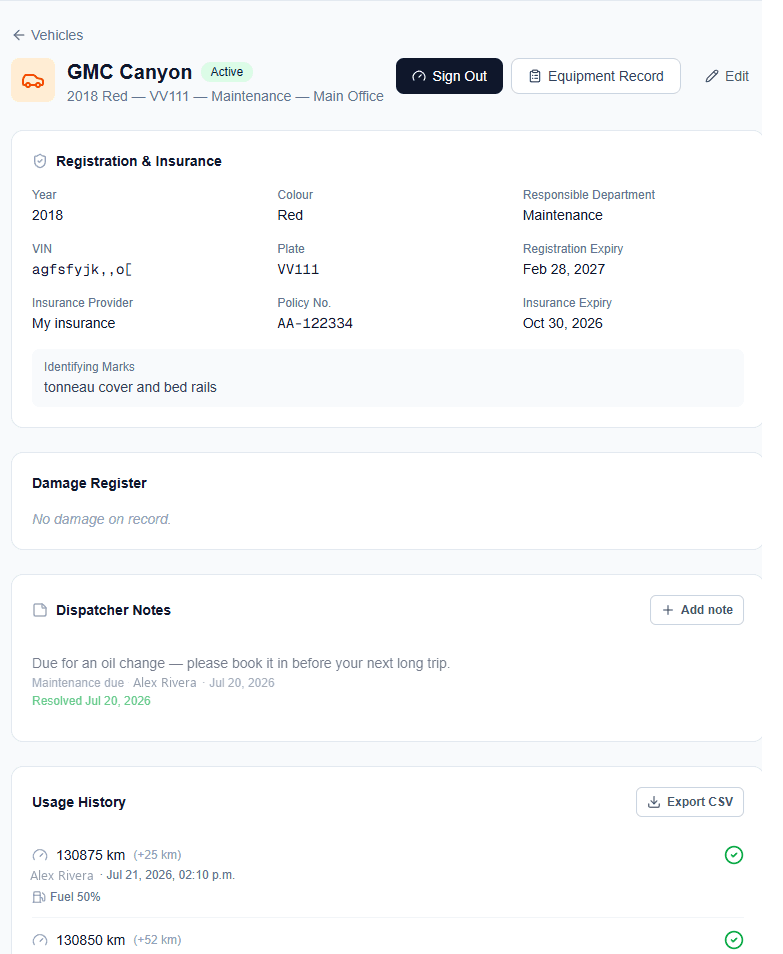
Fleet & vehicle management
Usage and fuel logs, damage register, registration and insurance renewal reminders, and utilization reports for every vehicle in the fleet. An optional module.
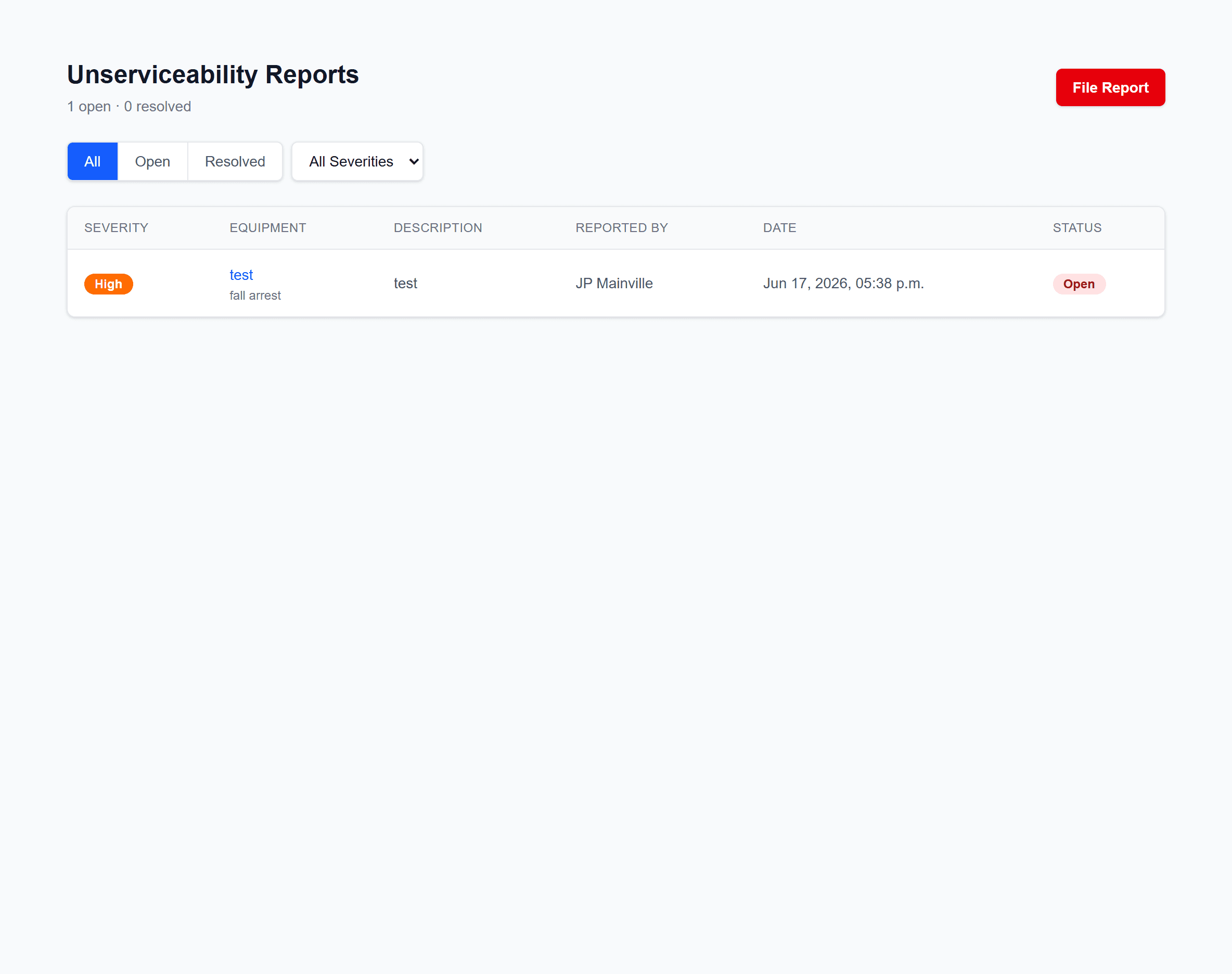
Out-of-service workflow
Report unserviceable equipment, assign corrective actions, and document an authorized return to service.
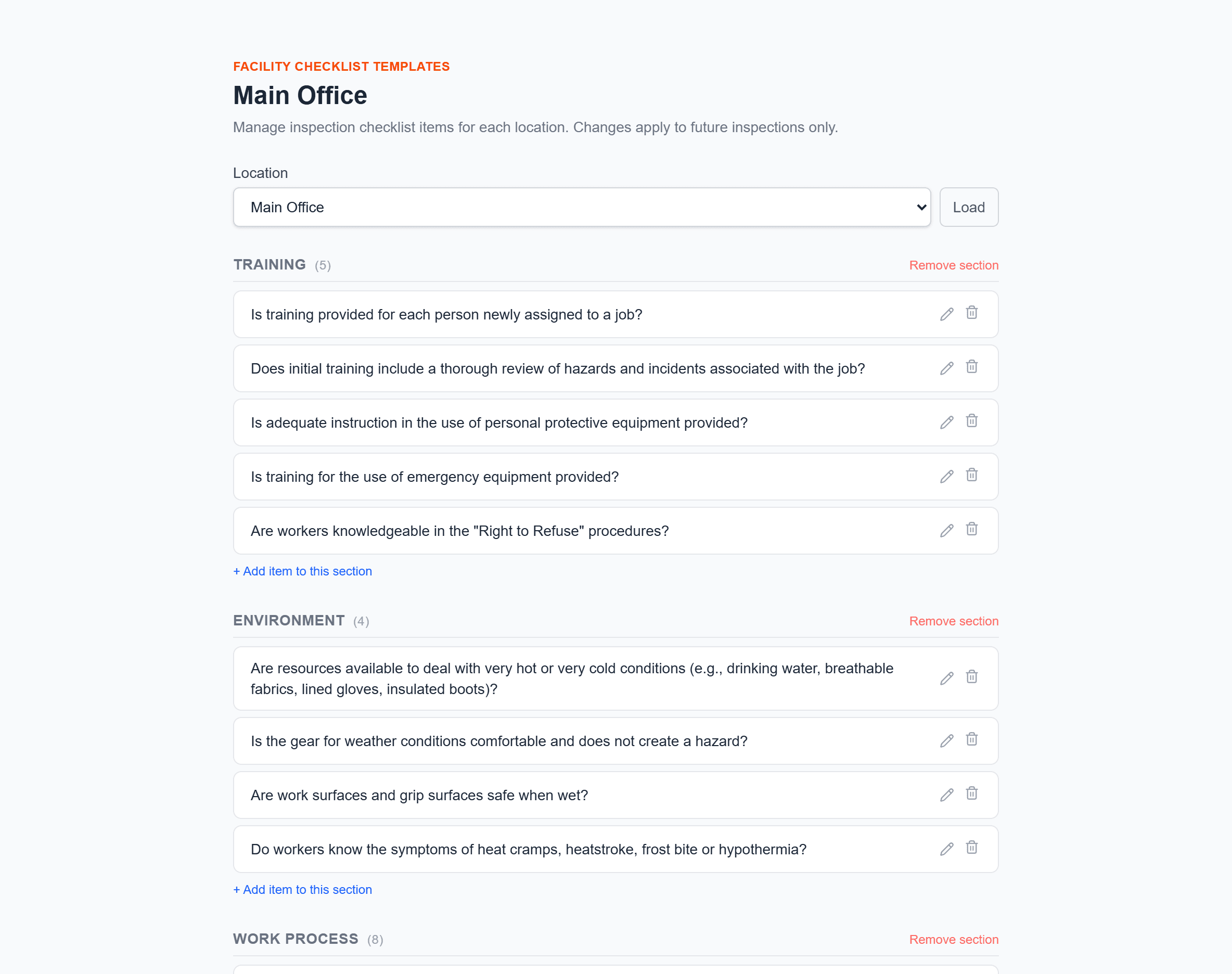
Facility inspections
Walk-through checklists built from a large template library, with findings tracked through to management response.
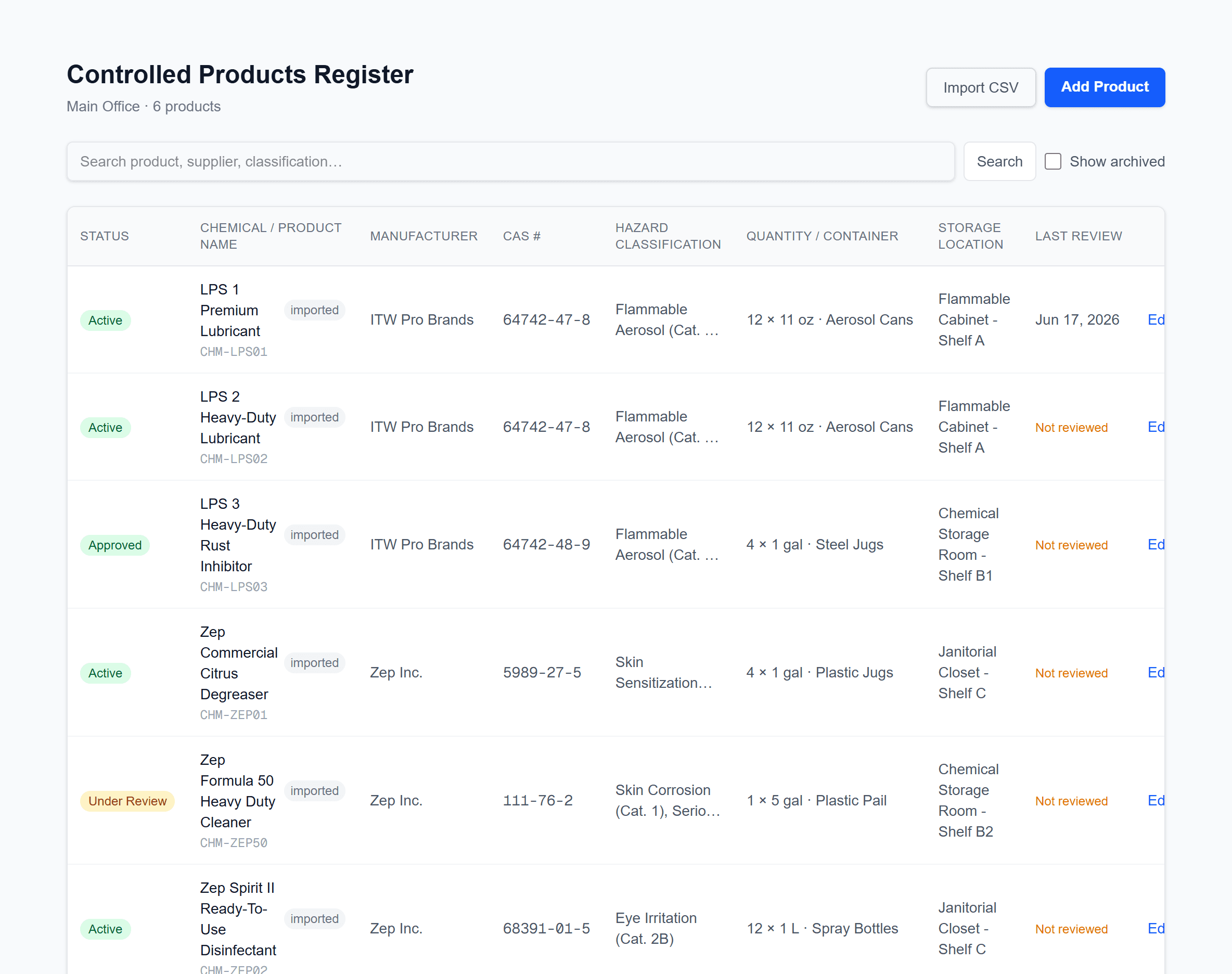
WHMIS register
Keep hazardous product inventories and SDS review dates current at every location.
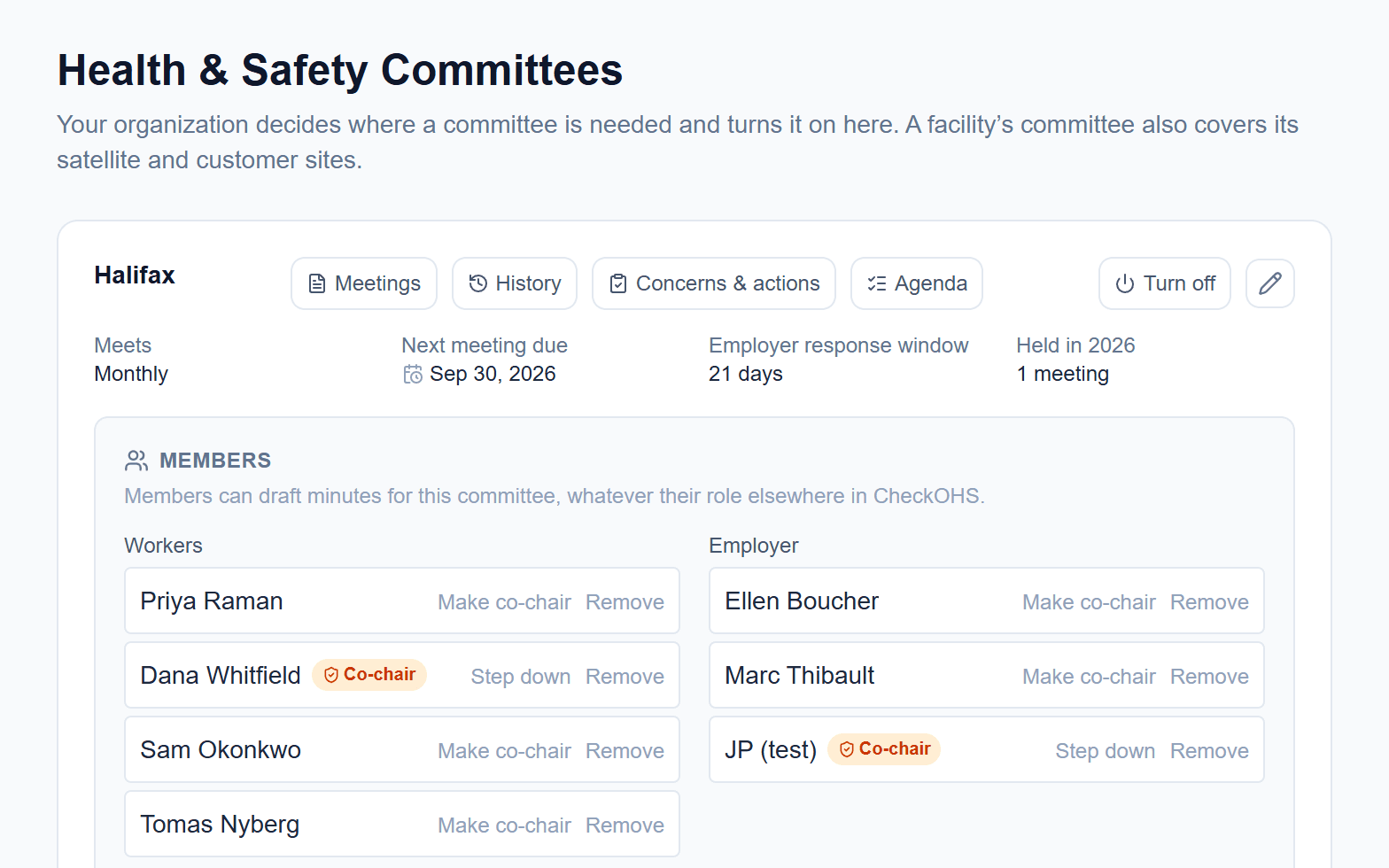
Health and safety committees
Committee membership and co-chairs, an agenda you control, minutes that lock once both co-chairs sign, and concerns and action items tracked to closure.
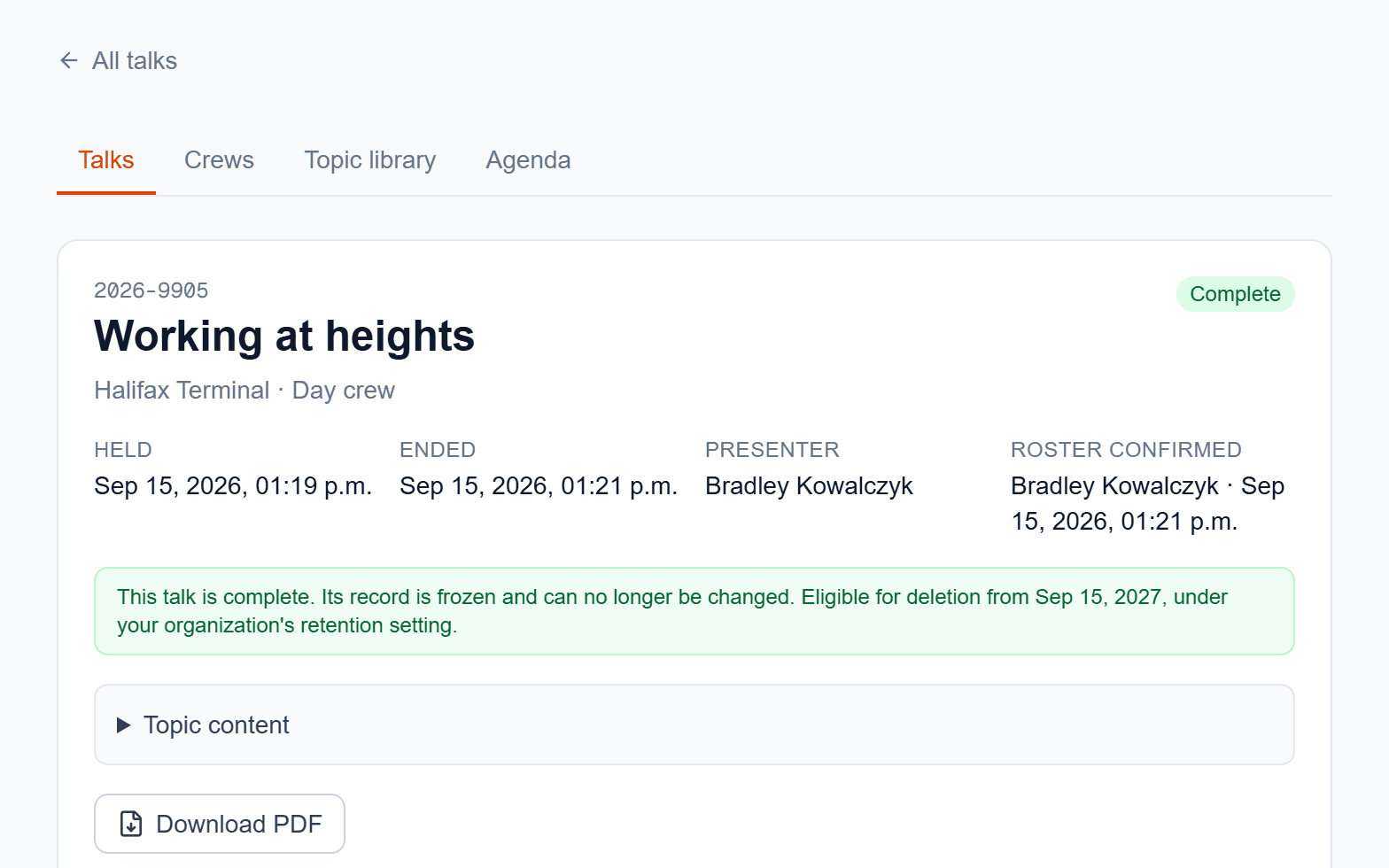
Safety talks
Toolbox and tailgate talks by crew, with topics your organization writes, attendance and acknowledgement, QR and paper sign-in, and a PDF of every talk.
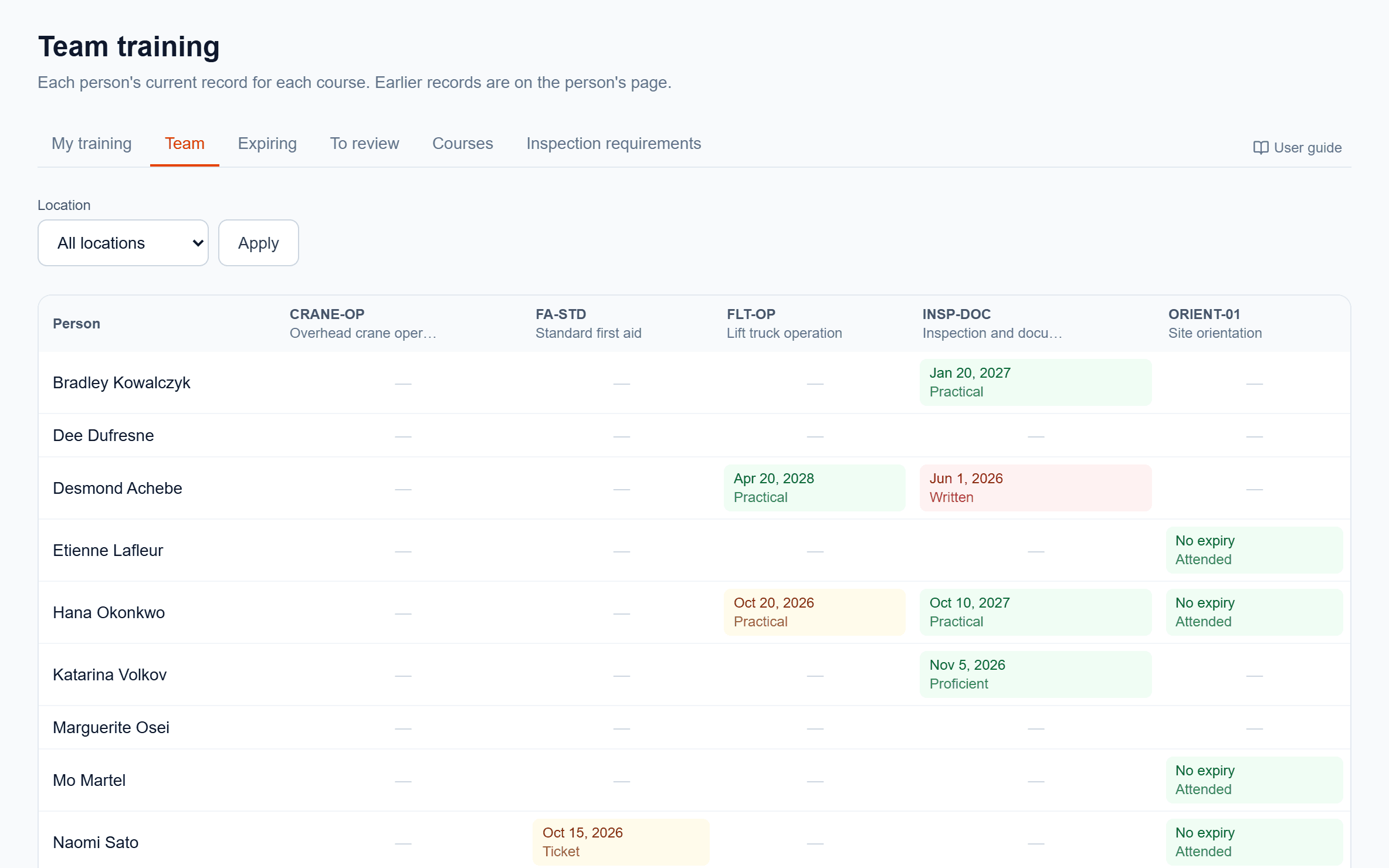
Training records
Courses your organization defines, how each record was verified, reviews of the certificates workers send, renewal notices, and training checks before an equipment inspection.
Turn on only what you use
Equipment inspections, facility inspections, the out-of-service workflow, delegations of authority and the compliance binder are part of every account. The modules below are yours to switch on or off, so nobody scrolls past a tab your organization has no use for.
Your company admin decides
- On to start
WHMIS register
For organizations that keep their hazardous products and safety data sheets in another system. Off, it leaves the menu, the dashboard and the compliance binder.
- Off to start
Workplace committees
Committees for each facility, with membership, agendas, minutes and concerns.
- Off to start
Organization-wide committee
A committee that covers every work place, switched separately from the workplace committees.
- Off to start
Safety talks
Toolbox and tailgate talks by crew. QR sign-in and attendee acknowledgement are further settings inside the module.
- Off to start
Training records
Courses, verified records, reviews of submitted certificates and renewal notices.
Switched in Settings by a company admin, at any time. Turning a module off hides it; the records already in it are kept and return when it is turned back on.
Add-ons, activated on request
Fleet & vehicle management
Usage and fuel logs, the damage register, renewal reminders and utilization reporting. Meter reading from a photo is a further option inside it.
On-demand translation
A Translate button on text your users typed — findings, notes, report descriptions.
Activated when your account is created, or later by contacting support.
Built for the whole safety program
Beyond daily inspections, CheckOHS manages delegations of authority, third-party deficiency notices, and a compliance binder ready for audits — with role-based access across companies and locations, and notifications that keep the right people informed. The vehicles module and on-demand translation are optional and can be switched on for your account at any time.
See at a glance which equipment is due for inspection, what's out of service, and what's waiting on return-to-service authorization.
For supervisors
Complete inspections on a phone or tablet, with step-by-step instructions and equipment manuals right in the checklist.
For inspectors
Dashboards, audit trails, and a compliance binder that make due diligence something you can show, not just claim.
For management
Worker's Right To Know
Scan an equipment QR code to see its status before use and file a defect report — no login needed.
For workers in the field
About CheckOHS
CheckOHS is built by JPMain Safety. It grew out of hands-on OHS practice — the binders, the chasing of signatures, the scramble to find records during an audit — and turns that field experience into software that keeps organizations of any size inspection-ready.
Common questions
Short answers to what people ask most often about CheckOHS.
- What is CheckOHS?
- CheckOHS is an occupational health and safety (OHS) compliance platform for workplaces. It keeps equipment inspections, vehicle and fleet records, facility checklists, the WHMIS hazardous product register, the health and safety committee record, crew safety talks, training records, and corrective actions in one system, so an organization's safety records stay complete and current between audits.
- What can you track and inspect with CheckOHS?
- CheckOHS covers eight areas: an equipment registry with inspection schedules and step-by-step checklists; fleet and vehicle usage, fuel, and damage logs with registration and insurance renewal reminders; an out-of-service workflow from defect report through authorized return to service; facility walk-through inspections built from a template library; a WHMIS register tracking hazardous product inventories and safety data sheet review dates by location; the health and safety committee record — membership, agenda, minutes, concerns and action items; safety talks — crews, a topic library your organization writes, attendance, acknowledgement and sign-in sheets; and training records — a course catalogue your organization builds, how each record was verified, reviews, renewal notices and training checks before an equipment inspection.
- Is CheckOHS available in French?
- Yes. The entire application is available in English and French, and each user can work in their own language independently of everyone else on the account. That covers the interface; the text your own people type — findings, notes, report descriptions — stays in the language it was written in. On-demand translation is an option that adds a Translate button to those blocks.
- Do field workers need an account to check equipment or report a defect?
- No. A worker can scan the QR code on a piece of equipment to see its current status before using it, and file a defect report from that same screen, without logging in or holding a CheckOHS account.
- How does the out-of-service and return-to-service workflow work?
- Anyone can report a piece of equipment as unserviceable. CheckOHS marks the asset out of service, corrective actions are assigned and tracked to completion, and the return to service has to be authorized — which leaves a documented trail from the original deficiency to the moment the equipment went back into use.
- Does CheckOHS work on phones and tablets?
- Yes. CheckOHS runs in a web browser on desktop, tablet, and phone. Inspectors complete checklists in the field on a phone or tablet, with the step-by-step instructions and the equipment manual available inside the checklist itself.
- What does CheckOHS provide for audits and due diligence?
- CheckOHS maintains a compliance binder alongside dashboards and audit trails, and records delegations of authority and third-party deficiency notices. Because every inspection, corrective action, and authorization is timestamped and attributed, due diligence is something an organization can show rather than assert.
- How do I get CheckOHS for my organization?
- CheckOHS is a commercial product from JPMain Safety and does not have public self-serve sign-up. To arrange access, contact support@checkohs.com.
- Which parts of CheckOHS are optional?
- Two add-ons are activated on request. The vehicles module — usage and fuel logs, the damage register, renewal reminders and utilization reporting — is one, and meter reading from a photo is a further option within it. On-demand translation of user-entered text is the other, and it is independent of the rest. Both can be activated when your account is created, or afterwards by contacting support@checkohs.com.
- Can we turn off modules we don't use?
- Yes. A company admin switches the WHMIS register, workplace committees, the organization-wide committee, safety talks and training records on or off in Settings. The WHMIS register starts on — turn it off if you keep WHMIS records in another system; the others start off until you turn them on. A module that is off disappears from the menu and the compliance binder, and nothing in it is deleted.
- Can CheckOHS use American terms and measurements?
- Yes. A company admin chooses Canadian or U.S. wording in Settings, for the whole organization. With U.S. wording, the WHMIS register reads as a HazCom chemical inventory with HazCom’s hazard classes, unserviceability reports become defect reports, and the app, emails, PDFs and user guides use American spelling. New equipment starts in miles and U.S. gallons, and each piece of equipment keeps the units its own odometer reads in, so a mixed fleet is recorded as it is. The choice changes words and units only: it changes no record, and CheckOHS does not decide which rules apply to your workplace.